How we create and test PDFs at Sequence
.
Invoices. Credit notes. Quotes. In the core parts of our product, PDF documents serve as a source of truth for the transactions our customers make with their customers. The amount of money owed at the end of a month. The legal terms for a hard-fought new deal.
I’ve been involved in producing printed materials, and my work on building and generating PDFs for our product reminds me of that time. Much like when you press Print on a run of hundreds of posters, once you’ve generated and sent a PDF, what’s done is done. You can’t push a fix to update a PDF after the fact, so getting them right the first time is crucial.
This truth makes working with PDFs a fulfilling challenge as a software engineer at Sequence. In this post, I’ll be pulling back the curtain on how we create beautiful PDFs for our customers and how we make sure they look great, every time.
Just send me some JSON
At the core of our PDF generation pipeline is an Express app we call pdf-web. This sits as an internal HTTP service and provides a POST endpoint for each type of PDF.
Whenever a PDF is needed, our backend makes a call to the relevant endpoint with a JSON payload containing the data required to populate that kind of PDF. The backend then receives a blob of PDF data which we save to object storage. If it’s an invoice, it’s now ready to be downloaded by a user from our customer portal. Or if it’s a quote, we’ll send it to Dropbox Sign to facilitate signing (via an eSignature).
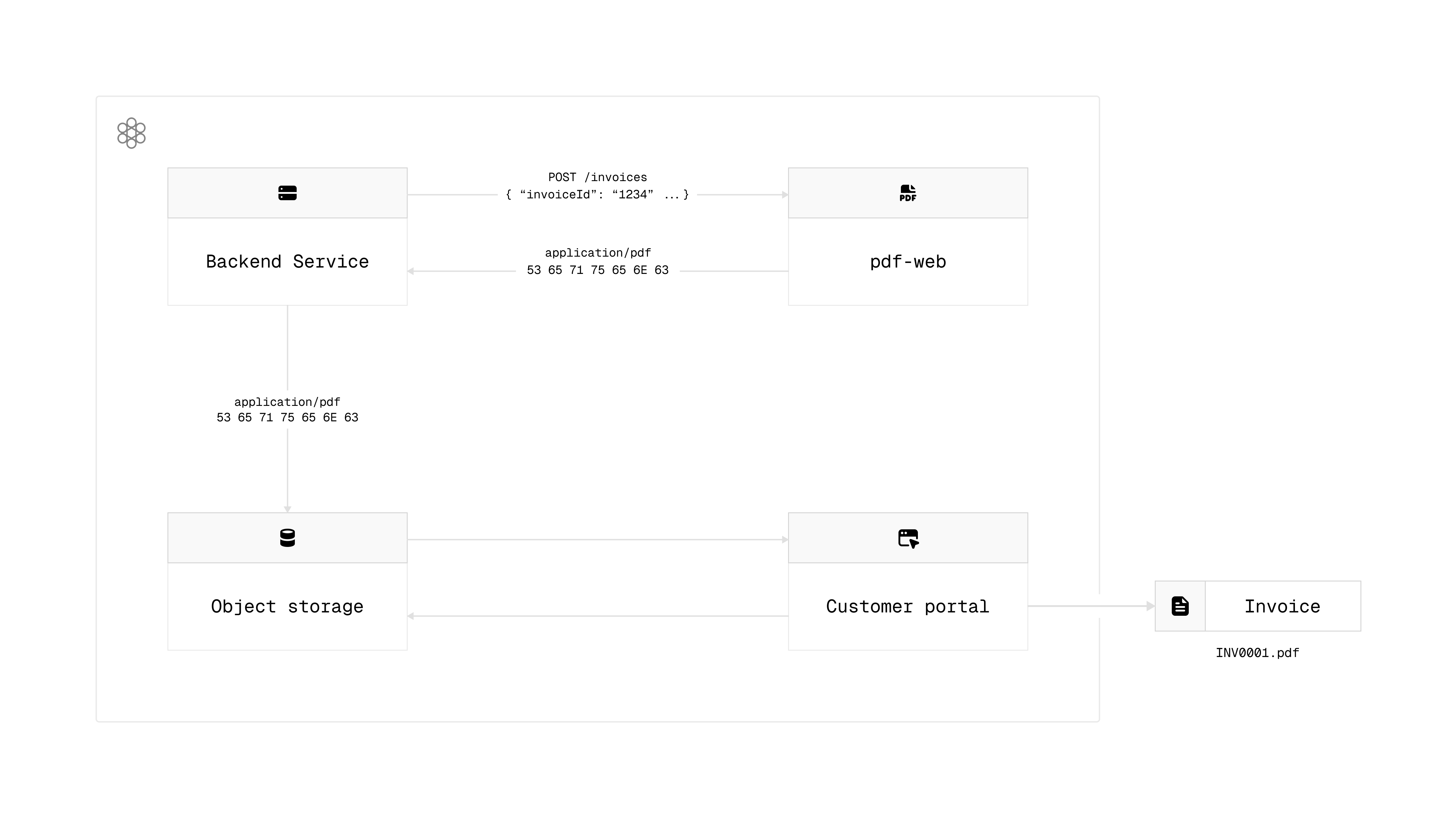
We’ve deliberately built pdf-web to be simple and deterministic. Dependencies are limited to the font we use on the PDFs, and any images like customer logos. Send it some JSON for a particular type of document, and you’ll get a PDF back. Where the real heavy lifting comes, is in the tooling we use to implement these documents.
Somewhere between the backend and the frontend
What I find interesting about our PDF generation pipeline is that it lives in a spot between the backend and the frontend. In fact, the code for PDF generation exists in our frontend monorepo, and we use a React-based library called react-pdf to implement and generate our PDFs.
React-pdf provides a set of components for defining PDF documents, like their printed page size, and for defining layout and adding visual elements like text and images. It also provides functions to render these components into PDF blobs, on both the server-side and the client-side.
This means we can allow dashboard users to preview drafts of invoices, credit notes and quotes before they send them to their customers. It’s the same code, so we can give our customers confidence in what they’re sending looks as expected once it’s sent back the backend.
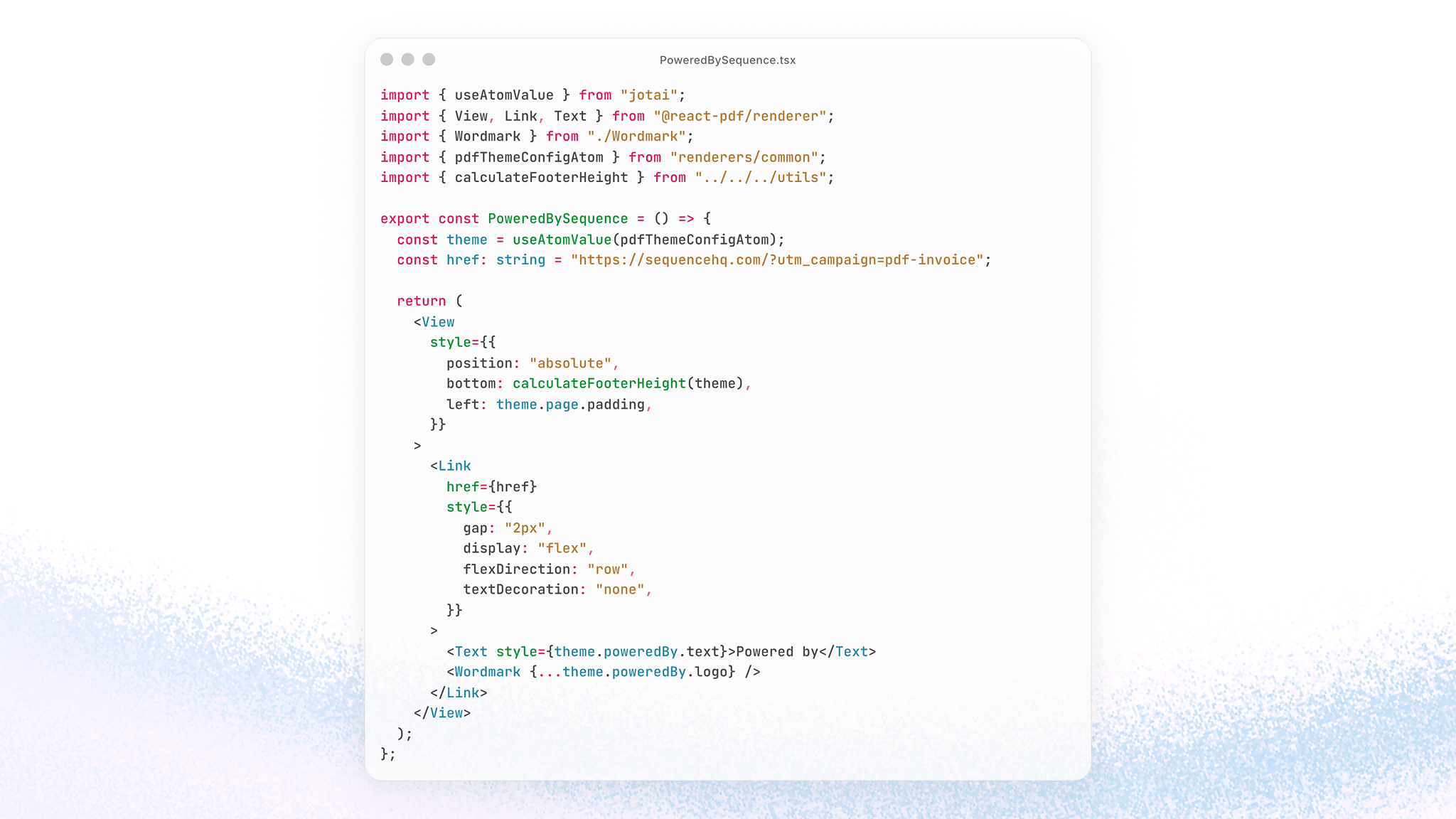
As our PDFs are defined in React, we can share common design-related code between the Sequence dashboard that runs in the browser and the components put together to define PDFs. This includes our colour palettes and font sizes, supporting visual consistency throughout our product.
Best practises for developing React code for the browser can also be applied to our PDFs. We’ve been adopting Jotai, a state management library. PDFs aren’t dynamic like browser code, and you only get one React render cycle to generate a PDF. However, we can take advantage of Jotai to reduce prop drilling in the PDF component code, simplifying the structure and readability of these components.
Engineers who feel at home working with React and UI libraries will be familiar with react-pdf’s declarative style and the set of components it provides.
Looking great, every time
Storybook has been a valuable tool for documenting the UI components we use on our frontend. It has also become an important piece of our automated testing infrastructure around PDFs.
Drop into our Storybook, and you’ll see dozens of sample invoice, credit note and quote PDFs. Each story demonstrates a feature of each document, like what an invoice looks like when reverse charges apply, or what a quote looks like when a paragraph is in bold. The stories use an embedded PDF viewer that pulls in the latest code for a PDF, so we can see changes to them in real time as we’re working on them.
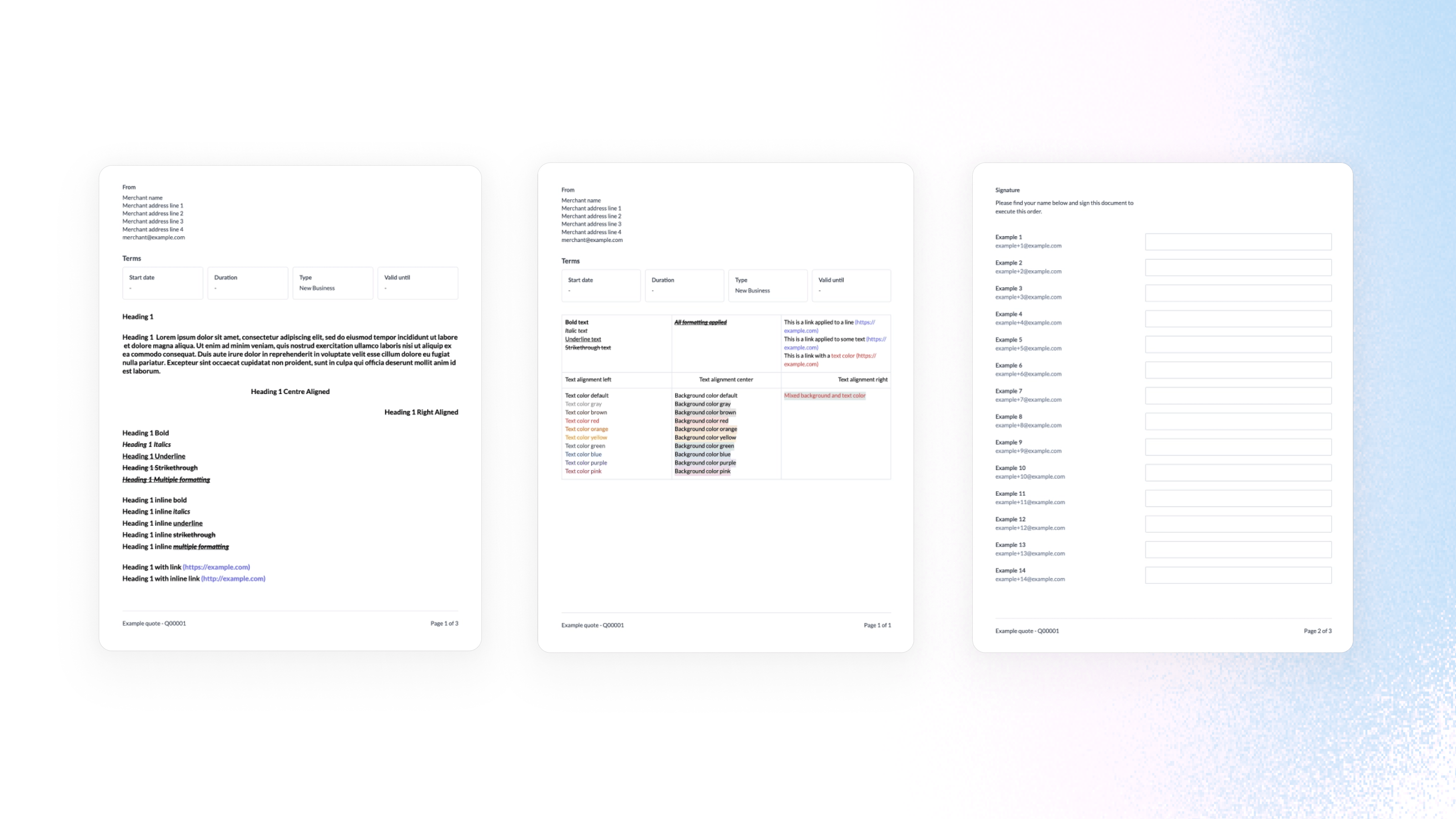
We also use stories to test edge cases for each document. For example, how can we make sure that a line item with an unusually long description doesn’t break the layout of a table on an invoice?
Where these stories come into their own, is when they’re combined with visual regression testing. For visual formats like PDFs, it’s equally as important to assert that a document looks to the eye as expected, as you would create unit and integration tests to assert the functionality of a feature.
Here’s how they work:
- We use the toHaveScreenshot assertion in Playwright to take a screenshot of a Storybook story that shows a PDF
- On the first test run, an screenshot is generated that represents the ‘good’ state of a PDF. It’s committed with the rest of the code.
- When the test is subsequently run, the assertion will fail if the latest code for generating a PDF results in something that doesn’t match the last known ‘good’ version of it. Storybook also produces a visual diff to indicate the differences between the expected and actual snapshot.
- If the failure comes from an intentional change, the ‘good’ snapshot can be updated and checked in, allowing the test to pass.
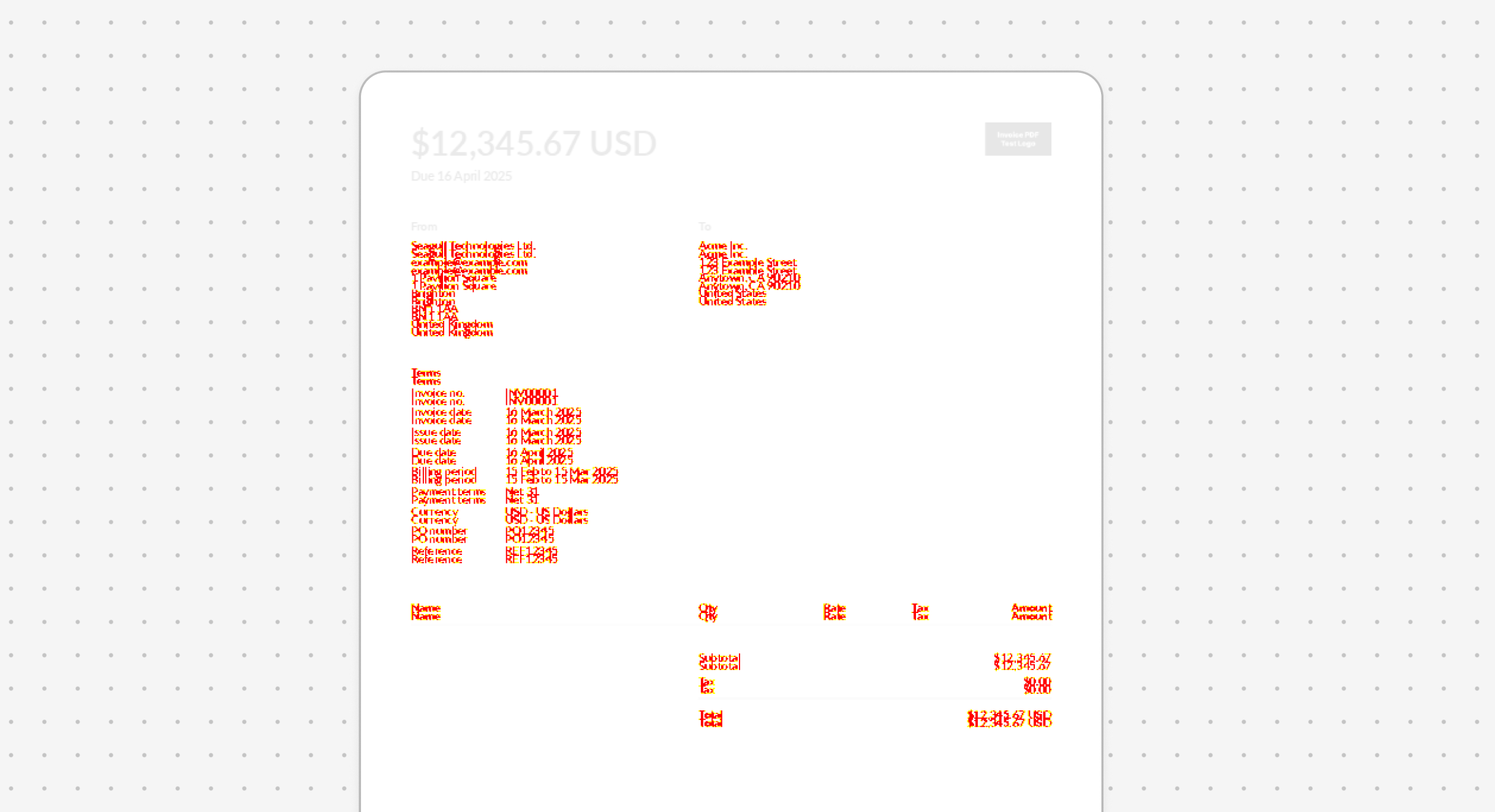
These visual regression tests are run as a required step on our PR CI pipeline, using a Docker image shared between our development machines and the CI to avoid any environmental differences from causing tests to fail.
We like to get new features into the hands of our customers as quickly as possible. Whether it’s enhancing the information on credit note PDFs, or introducing new formatting features to our quote PDFs, this setup gives us confidence that existing functionality looks as it always has.
Join us
We're growing our team at Sequence, in Engineering and across the company. One of the things I love about working here, is the chance to exercise problem solving skills but to also get right into the visual detail of what we're building too. If that unique mix is something that speaks to you, do take a look at our Senior Product Engineer (Frontend) - NYC listing.